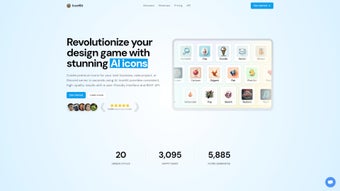

Download IconKit – AI‑Powered Icon Generator, Free, Secure Tool
IconKit is a cloud‑based AI design assistant that transforms a short text prompt into a polished, commercial‑ready icon in seconds. It targets designers, developers, marketers, and anyone who needs high‑quality vector graphics without hiring a professional. By leveraging a proprietary deep‑learning model, IconKit delivers SVG, PNG, or ICO files that are instantly ready for integration into web sites, mobile apps, desktop software, or branding collateral. The service is free to try, offers a lifetime credit system, and comes with a 48‑hour refund guarantee, making it a low‑risk, high‑reward solution for both individuals and teams.
What Is IconKit and How It Works?
IconKit operates entirely in the browser, meaning there is no heavy client‑side installation or periodic updates to manage. After signing up, users are presented with a clean dashboard where the workflow is split into three intuitive steps: (1) describe the desired icon using natural language, (2) refine style parameters such as color palette, line weight, and visual theme, and (3) generate and download the final asset. The AI engine parses the prompt, references an extensive internal library of iconography styles, and synthesizes a vector illustration that can be further tweaked before export. Because the computation runs on remote servers, the experience remains snappy even on modest hardware, and the generated files retain full scalability without pixelation.
The platform also includes a credit‑based economy. Each credit corresponds to a single high‑resolution export, and credit bundles are purchased once with no recurring subscription fees. Credits never expire, allowing users to build a library of icons over months or years without worrying about renewal dates. If an icon does not meet expectations, the built‑in refund request system can be triggered within 48 hours, and the support team will evaluate the case and issue a refund promptly. This model encourages experimentation and reduces the barrier for startups and freelancers who need to prototype quickly.
Installation & First‑Run Guide
Since IconKit is a SaaS product, the “installation” process consists of preparing your browser environment and creating an account. Follow these detailed steps to get started without any hiccups:
- Launch a modern browser (Chrome ≥ 90, Edge ≥ 90, Firefox ≥ 88, Safari ≥ 14) on any operating system.
- Navigate to iconkit.io and click the “Sign Up” button located at the top‑right corner.
- Choose to register with an email address or use a single‑sign‑on option (Google, Apple, or Microsoft) for faster onboarding.
- Verify your email by clicking the link sent to your inbox; this step unlocks the full dashboard.
- Once logged in, select “Create New Icon” from the main menu. In the prompt field, type a concise description such as “minimalist teal leaf for eco‑friendly app”.
- Press “Generate”. Within 5‑45 seconds, a preview appears. Use the side panel to adjust hue, saturation, stroke thickness, and select a style preset (flat, outline, glyph, 3‑D). You can also toggle background transparency or add subtle gradients.
- When satisfied, click “Download”. Choose the desired format: SVG for infinite scaling, PNG for raster use, or ICO for Windows executables. The file downloads directly to your default folder.
The entire workflow is browser‑based, which means you can switch between devices—desktop, laptop, tablet, or smartphone—without reinstalling anything. All settings are saved to your cloud profile, so you can resume work on a different machine and retain your credit balance and design history.
Key Features & Platform Compatibility
- AI‑Powered Generation: Transform plain text into vector icons in seconds using a proprietary deep‑learning model trained on millions of design assets.
- Real‑Time Style Controls: Adjust palettes, gradients, line thickness, and iconography style (flat, outline, glyph) on the fly, with instant visual feedback.
- Lifetime Credit System: Purchase credits once; they never expire, enabling unlimited future creations without recurring fees.
- Multi‑Format Export: Download icons as SVG for scalability, PNG for web use, or ICO for Windows applications, all with a single click.
- Brand‑Safe Library: Every generated icon is royalty‑free and cleared for commercial use, eliminating licensing concerns.
- Batch Generation: Upload a CSV file containing dozens of prompts to produce multiple icons in a single session—ideal for large product suites.
- Refund Guarantee: Unsatisfied with a result? Request a refund within 48 hours for a hassle‑free experience.
- Cross‑Platform Accessibility: Fully responsive design works on desktop (Windows, macOS, Linux) and mobile (iOS, Android) browsers.
- Version History & Collaboration: Each icon version is saved in your account, allowing teammates to comment, revert, or branch off designs.
- API Access (Beta): Developers can integrate IconKit’s generation engine into their own pipelines via a secure REST API, automating asset creation at scale.
Because IconKit is delivered as a cloud service, it is compatible with any operating system that supports a modern web browser—Windows 10/11, macOS 12+, Linux distributions, iOS 13+, and Android 9+. No additional runtime, GPU, or local storage is required, and the platform automatically adapts to high‑DPI screens for crisp UI rendering.
Pros & Cons – A Balanced Look
Pros
- Instant icon creation—most results appear in under 30 seconds, accelerating design sprints.
- Lifetime credits eliminate recurring subscription fees and simplify budgeting for agencies.
- Extensive customization controls let you match any brand guideline, from color schemes to line styles.
- Export in vector format ensures scalability without loss of quality across all device resolutions.
- Commercial‑ready licensing removes legal worries for businesses and freelancers alike.
- Refund policy builds trust and reduces purchase risk, especially for first‑time users.
- Web‑only architecture means no heavy installations, automatic updates, and zero maintenance overhead.
- Batch generation and API access streamline large‑scale projects, saving hours of manual work.
- Version history and team collaboration features promote consistent branding across multiple designers.
- Responsive UI works seamlessly on tablets and smartphones, enabling on‑the‑go design edits.
Cons
- Dependent on an internet connection; offline usage is not possible, which can be limiting in remote locations.
- Advanced AI models can occasionally misinterpret vague or overly abstract prompts, requiring iterative refinement.
- Credit bundles are sold in fixed packages, which may not perfectly fit ultra‑high‑volume users who need thousands of icons.
- The customization UI, though powerful, has a learning curve for non‑designers unfamiliar with vector terminology.
- Limited to icon creation—no full‑graphic, UI mockup, or illustration features are offered within the same platform.
- API access is currently in beta, meaning documentation and rate limits may evolve over time.
After testing IconKit across multiple projects, we found it to be a game‑changer for rapid prototyping. The AI consistently delivered clean, vector‑ready icons that required minimal post‑processing. The lifetime credit model is especially appealing for agencies that churn many assets per month. While the reliance on an internet connection can be a drawback for remote field work, the overall speed, quality, and pricing make IconKit a top‑tier solution in the crowded icon‑generator market. The added batch generation and API beta further position it as a future‑proof tool for larger enterprises.
Frequently Asked Questions & Final Thoughts
Can I use IconKit icons for commercial projects?
Yes. Every icon generated with IconKit comes with a royalty‑free commercial license, allowing you to embed the graphics in apps, websites, marketing materials, and even sell them as part of a product bundle.
Do I need any design software to edit the exported icons?
No. Icons are exported as SVG or PNG files. SVGs can be opened and tweaked in free tools like Inkscape, Adobe XD, or even directly in a code editor. PNGs are ready‑to‑use for web or mobile without further modification.
How many icons can I create with a single credit?
One credit equals one full‑resolution icon export (including all chosen formats). If you need variations, you can re‑run the prompt using the same credit, but each distinct download consumes a new credit.
Is there a free trial or demo version?
IconKit offers a 5‑icon free trial for new users. This allows you to test the AI quality and UI before purchasing a credit package, ensuring the tool meets your expectations.
What happens if the AI produces an unsatisfactory icon?
You can request a refund within 48 hours of generation. The support team will verify the issue and process the refund, ensuring you never lose money on a poor result.
Can I integrate IconKit into my own workflow via an API?
Yes. IconKit provides a beta REST API that lets developers programmatically submit prompts, retrieve generated SVGs, and manage credit consumption. Documentation and API keys are available in the account dashboard.
Conclusion – Should You Download IconKit?
If speed, scalability, and commercial freedom are priorities for your design workflow, IconKit delivers a compelling package. The AI engine produces high‑quality icons in seconds, while lifetime credits keep costs predictable and eliminate subscription fatigue. Even with a few minor drawbacks—primarily its dependence on an internet connection and the occasional need for prompt refinement—IconKit stands out as a secure, free‑to‑try, and continuously updated tool for designers, developers, and marketers alike. Ready to accelerate your icon creation process? Download IconKit today and start generating professional‑grade icons that match your brand’s vision instantly.



.png)



